Introduction: The Security Officer’s Workspace Is a 12-Hour Cockpit
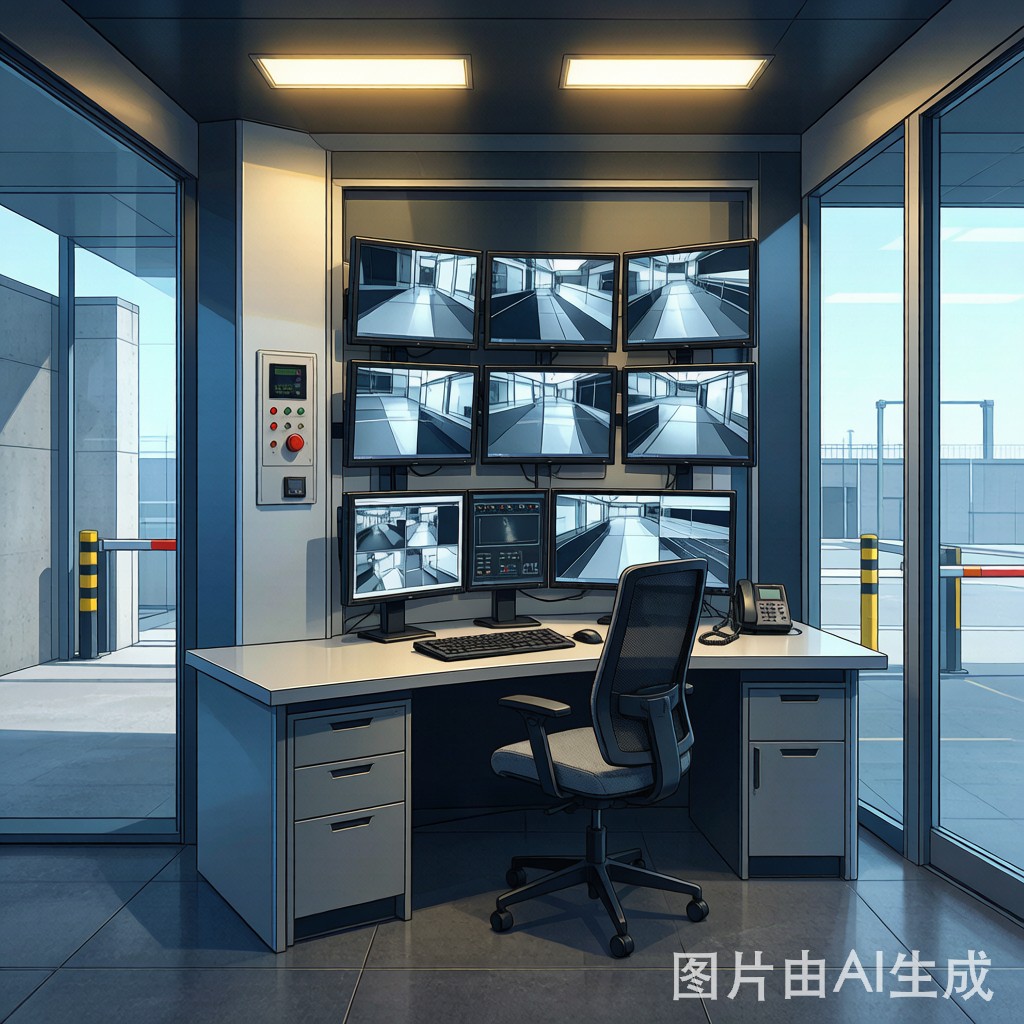
A security guard stationed in an industrial facility booth operates what is, in functional terms, a 12-hour cockpit. During a single shift, the officer monitors 4–8 CCTV camera feeds, processes 50–200 vehicle and visitor entries, answers intercom calls, records incidents, and maintains continuous situational awareness — all from a workstation that may be smaller than 3 m². The cumulative physical and cognitive demands of this environment, repeated across 2,000–2,500 working hours per year, make ergonomic design not a luxury but a longevity and performance requirement.
Poorly designed guard booth workstations drive three costly outcomes: (1) operator fatigue and discomfort that degrade alertness and decision-making in the shift’s final 2–4 hours — precisely when security lapses are most consequential; (2) musculoskeletal disorders (back pain, neck strain, carpal tu
el) that generate $5,000–15,000 per incident in medical claims and lost productivity; and (3) officer turnover and absenteeism that force facilities to operate with temporary or under-trained perso
el. This article provides an engineering framework for guard booth ergonomic design covering workstation layout, lighting, thermal comfort, noise control, and fatigue management for 24/7 industrial security operations.
Workstation Layout and Anthropometric Design
Work Zone Dimensions
The guard booth workstation must accommodate the 5th-percentile female to 95th-percentile male anthropometric range (per ISO 7250 and ISO 14738 for seated workstations):
| Workstation Dimension | Recommended Range | Standard Reference | Purpose |
|---|---|---|---|
| Desk surface height (fixed) | 720–750 mm | ISO 14738 (seated desk, general office) | Elbow height for keyboard/mouse: 5th%ile female elbow height (930 mm seated) minus 180 mm = 750 mm max |
| Desk surface height (sit-stand adjustable) | 650–1,200 mm range | ANSI/BIFMA G1-2013 | Accommodates seated and standing positions; electric height-adjustable (not crank — impractical for shift-change adjustment) |
| Desk depth (front to back) | 600–800 mm | — | 800 mm recommended: enough for 2× 24″ monitors + keyboard + incident log area |
| Desk width (left to right) | 1,200–1,600 mm | — | 1,400–1,600 mm for 3–4 monitor setup + document area |
| Knee clearance height under desk | ≥650 mm | ISO 14738 | 95th%ile male thigh clearance with 20 mm allowance |
| Knee clearance depth | ≥500 mm | ISO 14738 | Enables feet-flat-on-floor posture with seat pan at correct height |
Monitor Placement for CCTV Surveillance
CCTV monitoring imposes specific ergonomic demands different from typical office computer use:
- Primary monitor (incident/access control display): Directly in front of officer, top of screen at or slightly below eye level, viewing distance 500–700 mm (closer than 600–800 mm office guideline because security software UIs often use small fonts and icons).
- Secondary monitors (CCTV feeds): Arranged in a 2×2 or 3×2 grid (tiled), angled inward 10–15° toward officer. All monitors at same height to avoid neck flexion/extension during scan pattern.
- Monitor tilt: 10–20° backward from vertical — reduces glare from overhead lighting and positions screen normal to the officer’s line of sight (which is angled 15–25° below horizontal for seated viewing).
- Monitor bezel width: ≤5 mm (thin bezel) between adjacent monitors in tiled CCTV wall — wide bezels create “dead zones” in the surveillance image that cause the officer to miss events occurring at bezel boundaries.
Task Chair Specification for 12-Hour Seated Operations
| Chair Feature | Specification | Rationale |
|---|---|---|
| Seat pan depth adjustment | 400–500 mm range (sliding seat pan) | 2–3 fingers clearance behind knee (popliteal) for 5th–95th percentile |
| Seat pan height range | 420–550 mm | Feet flat on floor with thighs horizontal |
| Backrest lumbar support | Height and depth adjustable (50 mm range each) | Lumbar curve L3–L5 support position varies by 100 mm between 5th and 95th percentile |
| Armrest adjustment | Height, width, and pivot adjustable | Forearm support during mouse-intensive CCTV control reduces trapezius muscle load |
| Seat cushion | Molded foam, 50–60 mm thickness, density 50–60 kg/m³ | Pressure distribution for 12-hour sitting: peak pressure under ischial tuberosities <8 kPa (ISO 16850-1 foam indentation) |
| Upholstery | Breathable mesh (back) + fabric (seat) | Reduces heat and moisture accumulation; vinyl/leather in tropical guard booth traps heat |
| Duty rating | 24/7 usage, 150 kg capacity | Industrial/commercial duty, not residential office chair (which fails at 8 hours/day × 5 days/week) |
Lighting Design for 24/7 Shift Operations
Task vs Ambient Lighting for CCTV Surveillance
Lighting for a guard booth workstation must simultaneously satisfy two conflicting requirements: (1) sufficient task illuminance for reading documents, writing incident reports, and verifying IDs (300–500 lux per IES RP-1 for office tasks with small print); and (2) minimized screen glare on CCTV monitors (recommended luminance ratio between task area and monitor screen ≤3:1 per ISO 9241-303). A brightly lit 500 lux desktop adjacent to a CCTV monitor displaying a dark nighttime scene (screen luminance 50–80 cd/m²) creates a 10:1 luminance ratio that forces the officer’s eyes to repeatedly adapt — causing visual fatigue within 2–3 hours.
Recommended lighting configuration:
| Lighting Zone | Illuminance (lux) | CCT (K) | CRI (Ra) | Control |
|---|---|---|---|---|
| Task light (desk surface, dimmable) | 200–500 (adjustable by officer) | 3,000–4,000 (warm-to-neutral, selectable) | ≥90 | Individual dimmer at desk, 0–100% |
| Ambient (ceiling, general) | 100–200 | 3,000 (warm white) | ≥80 | Dimmable via wall control |
| Monitor backlight zone | ≤50 (on wall behind monitors) | 3,000 | — | Indirect bias lighting behind monitors, continuously on |
| Document inspection (UV verification) | As needed | — | — | UV-A lamp (365 nm) on articulated arm for ID/passport verification |
Bias lighting behind monitors (50 lux on the wall behind the screen) is a cost-effective ergonomic intervention — it reduces the luminance ratio between the bright monitor and the dark wall behind it from 20–50:1 to 3–5:1, significantly reducing eye strain over 12-hour shifts. A simple LED strip (3,000K, 4–8 W/m) mounted on the monitor’s rear edge, facing the wall, provides effective bias lighting for under $20 in components.
Circadian Lighting Considerations for Night Shift
Security officers on night shift (2200–0600 or 0000–0800) are exposed to lighting conditions that disrupt melatonin production and circadian rhythms. The melanopsin-containing intrinsically photosensitive retinal ganglion cells (ipRGCs) that regulate circadian entrainment are most sensitive to 460–480 nm (blue) light and require approximately 200–300 melanopic equivalent daylight illuminance (melanopic EDI lux, per CIE S 026) for circadian suppression during the biological night.
Recommended night-shift lighting strategy:
- 2200–0400 (biological night peak): Warm CCT (2,700–3,000K), melanopic EDI ≤50 lux — suppresses melatonin minimally while maintaining visual acuity for CCTV monitoring. Task light at minimal functional level (150–200 lux).
- 0400–0600 (pre-dawn alertness dip): Shift to neutral CCT (4,000K), melanopic EDI 100–150 lux — provides alertness boost during the circadian nadir (typically 0300–0500) when fatigue-related incidents peak. Task light at 300 lux.
- 0600–0800 (daylight transition): Cool white (5,000K), melanopic EDI 200–250 lux — promotes alertness for shift handover and commute home.
Implementation: Tunable-white LED ceiling panels (2,700–5,000K) with DALI or 0–10V control, programmed via astronomical time clock. The incremental cost of tunable-white over fixed-CCT LED is $30–50 per fixture — recovered through reduced fatigue-related errors and improved officer retention.
HVAC Thermal Comfort for Tropical Environments
Thermal Comfort Parameters
Thermal comfort in a guard booth — a small enclosed space (6–15 m³) with significant solar gain through glass windows — is governed by the six PMV (Predicted Mean Vote) parameters per ASHRAE 55 and ISO 7730:
| Parameter | Recommended Range | Tropical Condition (Outdoor 35°C/85% RH) | Design Strategy |
|---|---|---|---|
| Operative temperature (dry bulb) | 23–26°C (Category B, ISO 7730) | Solar gain through windows can add 5–10°C above outdoor ambient | 0.75–1.0 HP inverter split AC, setpoint 24°C. Position AC airflow AWAY from officer (not blowing directly on neck/shoulders) |
| Relative humidity | 40–60% | Outdoor 85% RH; AC dehumidification reduces to 50–60% | Dry mode on AC during rainy season if RH exceeds 65%. Standalone dehumidifier (200–300W) for monsoon conditions |
| Air velocity (draft) | ≤0.15 m/s (winter) / ≤0.25 m/s (summer) | AC supply air velocity 1.5–2.5 m/s at diffuser → must diffuse to <0.25 m/s at occupant | AC diffuser directed at ceiling (Coanda effect) or wall, not toward officer. Linear slot diffuser preferred over square grill |
| Vertical air temperature difference (head-ankle) | ≤3°C | Floor can be 3–5°C cooler than head height (cold air stratification from AC) | Ceiling fan (low speed) for gentle air mixing; floor insulation (25 mm PIR) reduces cool floor discomfort |
| Radiant temperature asymmetry (warm window) | ≤5°C (warm ceiling) / ≤10°C (cool wall) | Sun-facing window can be 40–50°C surface temperature → radiant discomfort to officer seated within 1 m | Low-E solar control film (solar heat gain coefficient SHGC ≤0.3) on all windows; interior roller blind as secondary |
| Operative temperature drift | ≤1.1°C/hour (Category B) | Door opening for visitor check creates 1–3°C temperature spike per event (100+ events/shift) | Inverter AC with fast PID response; air curtain or vestibule at visitor window reduces infiltration |
Fresh Air Supply and CO₂ Management
A sealed guard booth with air conditioning and a single occupant reaches CO₂ levels of 2,000–3,000 ppm within 1–2 hours — exceeding the 1,000 ppm ASHRAE 62.1 threshold for cognitive performance degradation (15–20% reduction in decision-making performance at 1,400 ppm per Harvard/LBNL studies).
Fresh air requirement per ASHRAE 62.1: 2.5 L/s per person + 0.3 L/s per m². For 1 person in a 6 m² booth: 2.5 + (0.3 × 6) = 4.3 L/s ≈ 15 m³/h. A small energy recovery ventilator (ERV, 15–30 m³/h, 50–70% sensible effectiveness) provides fresh air without excessive AC energy penalty. The ERV core also reduces outdoor humidity loading on the AC — important in tropical conditions.
Noise Control Inside the Booth
Guard booths at industrial facilities are subjected to external noise from truck traffic (75–85 dBA peak at gate), heavy machinery (70–80 dBA continuous), and the booth’s own AC compressor (55–65 dBA). The interior noise criterion should not exceed NC-35 to NC-40 (40–48 dBA) for tasks requiring speech communication (intercom, radio, telephone) and sustained concentration (CCTV monitoring).
| Noise Source | Typical Level (dBA at 1 m) | Mitigation | Residual Interior (dBA) |
|---|---|---|---|
| AC indoor unit (fan coil) | 35–45 | Low-noise inverter model (≤25 dBA at low speed). Position unit away from officer’s head | 25–35 |
| AC outdoor compressor | 55–65 | Acoustic enclosure (5–10 dB reduction). Mount on vibration isolators. Position away from booth wall | 40–50 (through wall) |
| Truck/traffic at gate (2–5 m) | 75–85 (peak) | Laminated glass (STC 35–37 for 10 mm) vs tempered (STC 32–34). Acoustic seal on all window frames | 40–50 (peak) |
| Intercom / radio speaker | 60–70 (at officer position) | Adjustable volume; headset option for high-noise environments | Controlled by officer |
STC requirements for booth enclosure: With external noise at 75–85 dBA (truck peak) and interior target of 40–48 dBA, the required transmission loss is approximately 30–40 dB — achievable with 8–10 mm laminated glass (STC 35–37) and insulated wall panels (STC 30–33). The acoustic weak point is invariably the visitor transaction window (if fitted) — a small sliding glass panel that, when open, completely bypasses the booth’s acoustic enclosure. An intercom-only visitor interface (no openable window) eliminates this weak point and is preferred for high-noise industrial environments.
Fatigue Management for 12-Hour Shifts
Engineering Controls for Alertness
Security shift workers face a “circadian nadir” — a natural dip in alertness and cognitive performance — between approximately 0300–0500 for night-shift workers, during which reaction time degrades by 15–30% and error rates triple compared to daytime performance. Engineering controls that mitigate fatigue-related performance degradation:
| Control | Implementation | Effectiveness |
|---|---|---|
| Sit-stand desk (electric) | Officer alternates sitting (45 min) and standing (15 min) — standing increases heart rate +10 bpm and improves alertness | Moderate — reduces physical discomfort, modest alertness benefit |
| Blue-enriched lighting (0400–0600) | As described in lighting section — 4,000K, melanopic EDI 100–150 lux during circadian nadir | High — 15–20% reduction in subjective sleepiness (Karolinska Sleepiness Scale) |
| Temperature modulation | Slightly cool 22–23°C during 0200–0500 (warmer temperatures promote drowsiness) | Moderate — cool environment counteracts the natural body temperature dip at 0300–0400 |
| Structured break patrolling | Officer leaves booth for 5-minute external patrol every 90 minutes — physical movement + outdoor air + task variation | High — combines multiple alertness factors (movement, cool air, task switching) |
| Napping facility (extended shifts) | For 12-hour night shifts, facility policy may allow a 20-minute nap (NASA research: 34% performance improvement, 100% alertness improvement vs no-nap control) | Very high — but requires policy and cultural acceptance |
Workstation Equipment Checklist for 24/7 Guard Booths
| Equipment | Specification | Ergonomic / Operational Purpose |
|---|---|---|
| Height-adjustable desk | Electric, 650–1,200 mm range, memory presets | Sit-stand alternation for 12-hour shift endurance |
| CCTV monitors (×3–4) | 24″ IPS, thin bezel ≤5 mm, VESA mount | Multi-feed surveillance without neck strain |
| Monitor arm (articulated) | Gas-spring, supports 3–4 monitors, independent adjustment | Individual monitor positioning for officer height |
| Task chair | 24/7 rated, all ergonomic adjustments (see chair table above) | Pressure distribution, lumbar support for extended sitting |
| Anti-fatigue mat | 15–20 mm thick, beveled edges, polyurethane | Standing comfort for sit-stand desk use |
| Footrest | Height and tilt adjustable | 5th-percentile female foot support when chair at proper height for 720 mm fixed desk |
| Document holder | In-line between keyboard and monitor, adjustable angle | Reduces neck flexion for ID/passport verification |
| Keyboard tray | Articulated, negative tilt (-15°), wrist rest | Neutral wrist posture for data entry tasks |
| Headset (wireless) | Single-ear, noise-cancelling microphone, 8+ hour battery | Hands-free intercom/radio communication while typing |
Conclusion
The prefabricated guard booth workstation is a 12-hour human-machine interface where ergonomic design directly determines security effectiveness. The three highest-impact ergonomic interventions — in order of cost-effectiveness — are: (1) lighting design separating task lighting (200–500 lux, individually dimmable) from ambient lighting (100–200 lux), with monitor bias lighting to reduce luminance ratio below 3:1 and tunable-white circadian support for night shifts; (2) a 24/7-rated ergonomic task chair with adjustable lumbar support, sliding seat pan, and breathable mesh back — a $400–700 investment that prevents $5,000–15,000 musculoskeletal injury claims; and (3) a sit-stand desk enabling posture alternation with an anti-fatigue mat, reducing the cumulative physical load of 12-hour seated shifts. Integrated with proper HVAC (23–26°C operative temperature, ≤60% RH, ≤0.25 m/s draft, fresh air at 15 m³/h via ERV) and acoustic design (interior NC-35 to NC-40), the ergonomically designed guard booth transforms from a security shed into a performance-sustaining operations center — reducing officer turnover, preventing injuries, and maintaining alertness through the most vulnerable hours of the security shift.