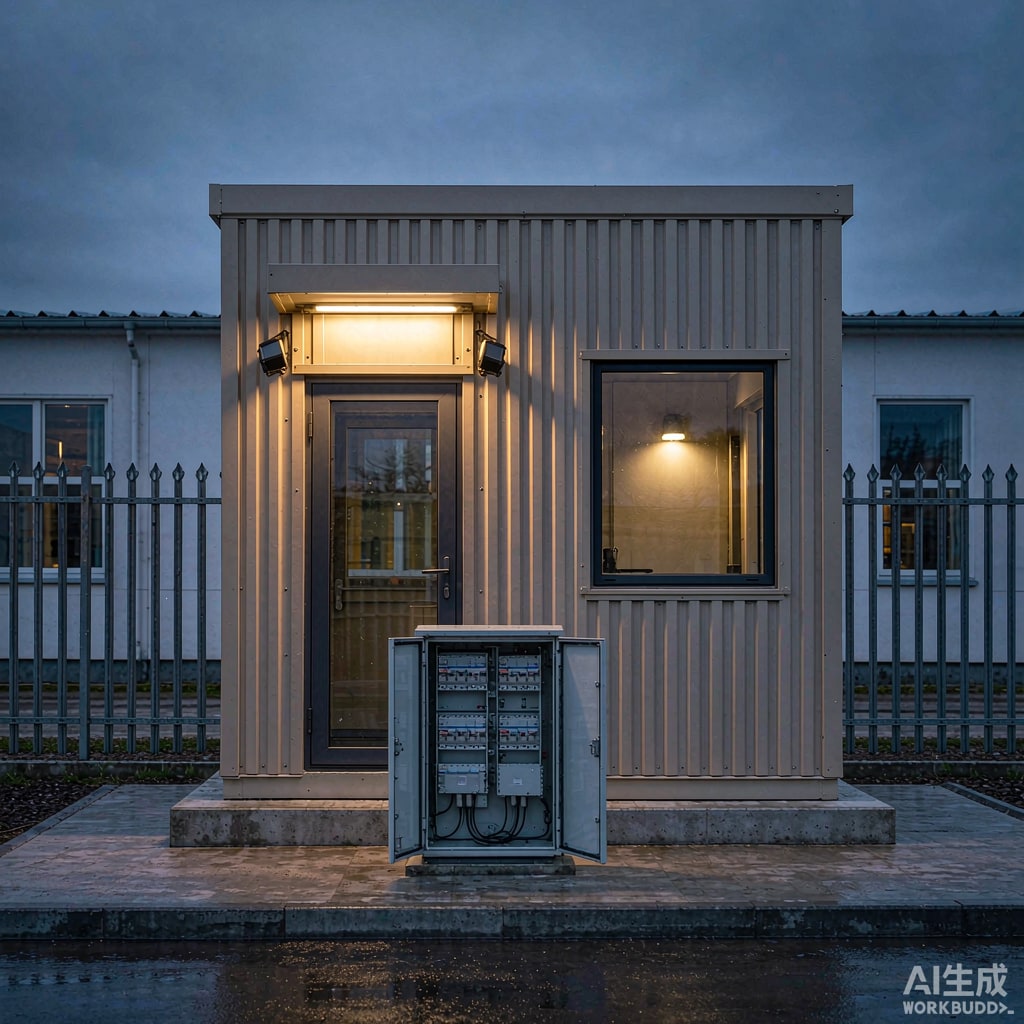
A guard booth looks like a shed with a window. Electrically it is a small facility: air conditioning that draws more current than everything else combined, continuous CCTV and network equipment, access control with electric locks, exterior lighting, and staff who notice immediately when any of it stops working. Because the booth sits at the perimeter of a site, often at the end of a long cable run and frequently the tallest structure in its immediate area, it also collects every electrical problem the site has.
Most guard booth failures are not component failures. They are design omissions: an undersized feed that sags when the compressor starts, a single circuit that takes the whole booth down when a socket trips, an earth electrode that was never measured, or a UPS whose battery cooks itself to death inside a sealed steel box in the tropics. This guide covers the decisions that prevent those outcomes.
Start With a Load Schedule, Not a Guess
Add up co
ected load, then apply realistic diversity. A typical single-occupant booth in a tropical climate looks like this:
- LED lighting, interior and soffit: 40 to 80 W.
- Air conditioning, 1.0 to 1.5 HP split: 1.1 to 1.6 kW ru
ing, with a starting surge of three to five times ru
ing current for a fraction of a second.
- Socket outlets for a kettle, a fan, a phone charger and a laptop: allow 1.0 to 1.5 kW co
ected, 0.3 kW diversified.
- CCTV, NVR, PoE switch, access control and intercom: 150 to 400 W continuous, and this is the load that must never drop.
- Exterior floodlighting and a barrier gate motor if the booth controls it: 100 to 500 W, plus motor inrush.
With a 1.5 HP air conditioner, total diversified demand lands near 2.5 kW. On a 230 V single phase supply that is roughly 11 A, so a 32 A feed with a 20 A main breaker leaves sensible headroom for a second air conditioner or a heater later. If the booth also drives a barrier gate, a bollard or exterior floodlighting on the same supply, go to three phase and balance the loads: the compressor on one phase, lighting on another, sockets on the third.
Cable Sizing and Voltage Drop
Guard booths are usually fed from a distribution board some distance away, and voltage drop is what actually determines the cable, not current capacity. A 32 A load on 6 square millimetre copper at 60 metres gives about 3.6 percent drop, which is already at the edge of acceptable for equipment that also expects a stable supply. For runs beyond 50 metres, step up to 10 square millimetres or move the feeding point closer.
Use armoured cable for any underground or exposed run, and derate for tropical conditions: a cable in a conduit at 40 degrees C ambient with three loaded conductors carries considerably less than its free-air rating. If the run passes through a car park, protect it mechanically and mark it; a guard booth feed is a popular target for accidental excavation. Inside the booth, keep power and signal cabling separated by at least 200 mm, or use separate trunking, because the compressor start transient couples readily into unshielded network cable.
Earthing and Bonding
Whether the installation is TT or TN-S determines the protection strategy, and getting this wrong makes the residual current device either useless or nuisance-tripping.
In a TT arrangement, the booth has its own electrode and the earth fault loop impedance is high, so an RCD is mandatory and the electrode resistance matters. Target 10 ohms or less for a general installation; where sensitive electronics are present, aim for 5 ohms or better. Measure it with a fall-of-potential test after installation and record the value, because a rod driven into dry fill or rubble can read 80 ohms and no one will know until a fault occurs.
Bond every metallic element to the earth bar with a conductor of at least 6 square millimetres: the steel frame, the panel cladding, the door frame, the air conditioner chassis, the cable tray, and any metal water or conduit entry. Bonding is what keeps touch voltage low and what gives a surge protector a low impedance path to divert current. A surge device co
ected to a long, thin, coiled conductor is decorative.
Surge and Lightning Protection
A guard booth at a site entrance is frequently the highest point in its vicinity and is often the first thing a transient reaches. Apply the usual risk assessment rather than a rule of thumb, but the practical measures are consistent.
- If the booth has a metal roof or frame above the surrounding structures, provide air termination per IEC 62305: a rod or catenary bonded to the frame, with at least two down conductors to separate electrodes where geometry allows.
- Keep a separation distance between the lightning protection system and internal wiring. Route internal cables at least 0.5 m from down conductors, or use shielded cable bonded at both ends.
- Install a Type 2 surge protective device at the booth distribution board, and a Type 1 device if the booth is fed by an overhead line or is itself exposed.
- Add a Type 3 protector or a protected outlet strip at the CCTV and access control equipment, since the residual let-through of a Type 2 device is still enough to damage a 12 V input.
- Protect data lines too. An Ethernet surge protector on the camera and network runs costs a fraction of the NVR it saves.
UPS and DC Backup for the Loads That Ca
ot Blink
Decide what actually needs backup. Lighting and air conditioning do not; CCTV recording, access control, intercom and the network switch do. A 1 to 2 kVA line-interactive UPS with 30 to 60 minutes of autonomy at that 200 to 400 W load is usually the right size.
The battery is the weak point, not the electronics. Sealed lead acid loses roughly half its service life for every 10 degrees C above 25, and a sealed steel booth in Southeast Asia easily reaches 40 degrees C inside. A battery rated three to five years in a datasheet becomes 18 months in practice. Either ventilate the UPS enclosure, locate it low in the booth where air is coolest, or move to lithium iron phosphate, which tolerates higher temperatures but must not be charged below zero or above 45 degrees C.
For cameras, ru
ing 12 V DC or PoE from a dedicated power supply with its own battery backup is often simpler than putting the whole PoE switch behind a UPS. Keep the DC runs short, use a supply with adequate headroom for inrush at night when infrared illuminators switch on, and fuse each output individually so one shorted camera cable does not take down the rest.
Tropical Installation Details
Specify IP65 enclosures with cable entries from below and a drip loop on every gland. Use UV-stabilised conduit outdoors; ordinary PVC becomes brittle within two years of direct sun. Fit anti-condensation heaters or breathing glands in enclosures that cycle between cool nights and hot days, because condensation inside a control box causes more intermittent faults than any other single mechanism. Use stainless steel fasteners, and check that the RCD is rated for the humidity: nuisance tripping in a damp booth is usually a sign of leakage through a wet gland, not a faulty device.
Commissioning Checklist
- Insulation resistance at least 1 megohm at 500 V DC on all circuits, with electronics disco
ected.
- Earth continuity below 0.1 ohm from the farthest metal part to the earth bar.
- Earth electrode resistance measured and recorded, 10 ohms or better.
- RCD trip test at 30 mA within 30 ms, on each protected circuit.
- Voltage at the farthest outlet above 90 percent of nominal with the air conditioner ru
ing.
- Thermal scan of the distribution board under full load, looking for loose terminations.
- UPS transfer test with the main breaker opened, confirming that CCTV and access control ride through.
None of these steps is exotic, and together they take half a day. On a booth that will stand at a site entrance for a decade, they are the cheapest reliability money available.